TDEECalc is a free iPhone app that turns a TDEE estimate into a personal calorie target and daily macros, then learns your real maintenance calories from your weight trend and calorie intake. It has no account, no ads and no third-party analytics, keeps your data on your device, and needs iOS 16.2 or later.
Download TDEECalc on the App Store. It is free and needs iOS 16.2 or later.
What does TDEECalc do?
TDEECalc estimates how many calories you burn, sets a calorie target for your goal and learns from your real progress. It starts from the same formulas used on this site, listed in the methodology, and then checks them against your weight trend.
The app is built for people trying to lose fat, maintain or build muscle. It is not a food diary, and it does not scan barcodes. It focuses on the target, the macros and the weekly trend.
How does it set my calorie target and macros?
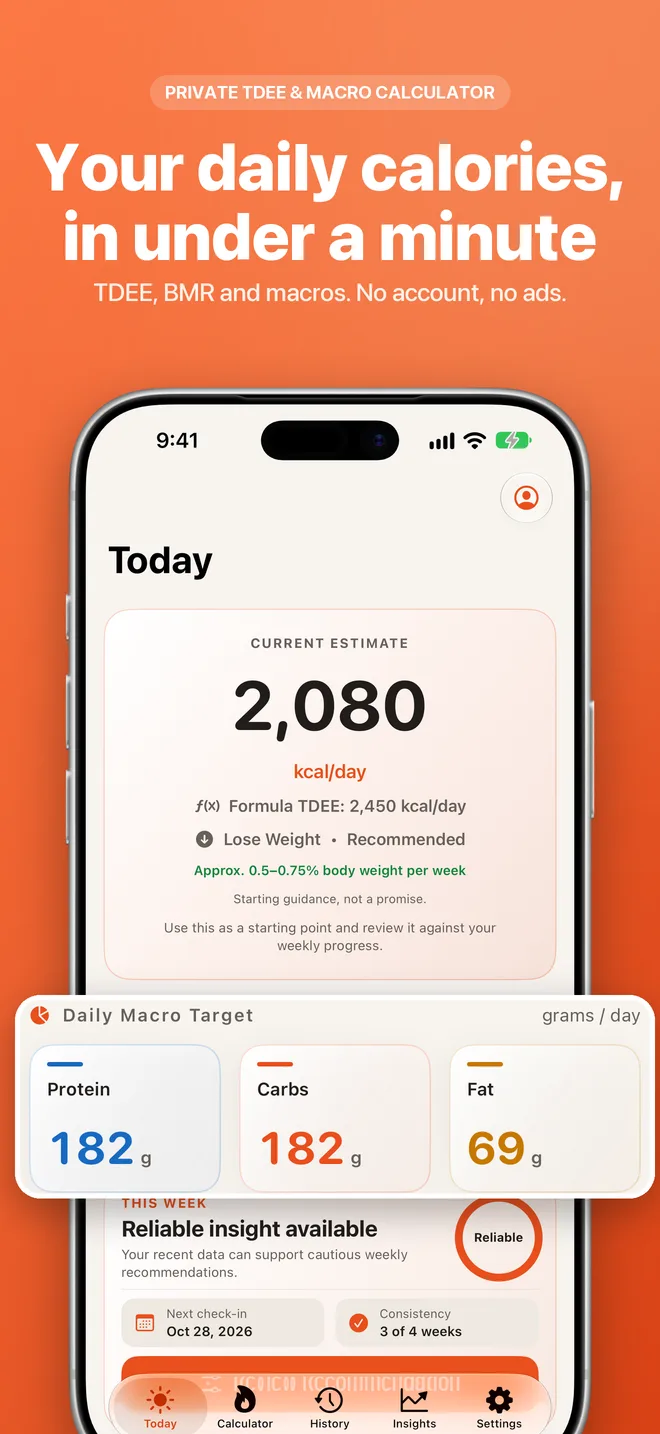
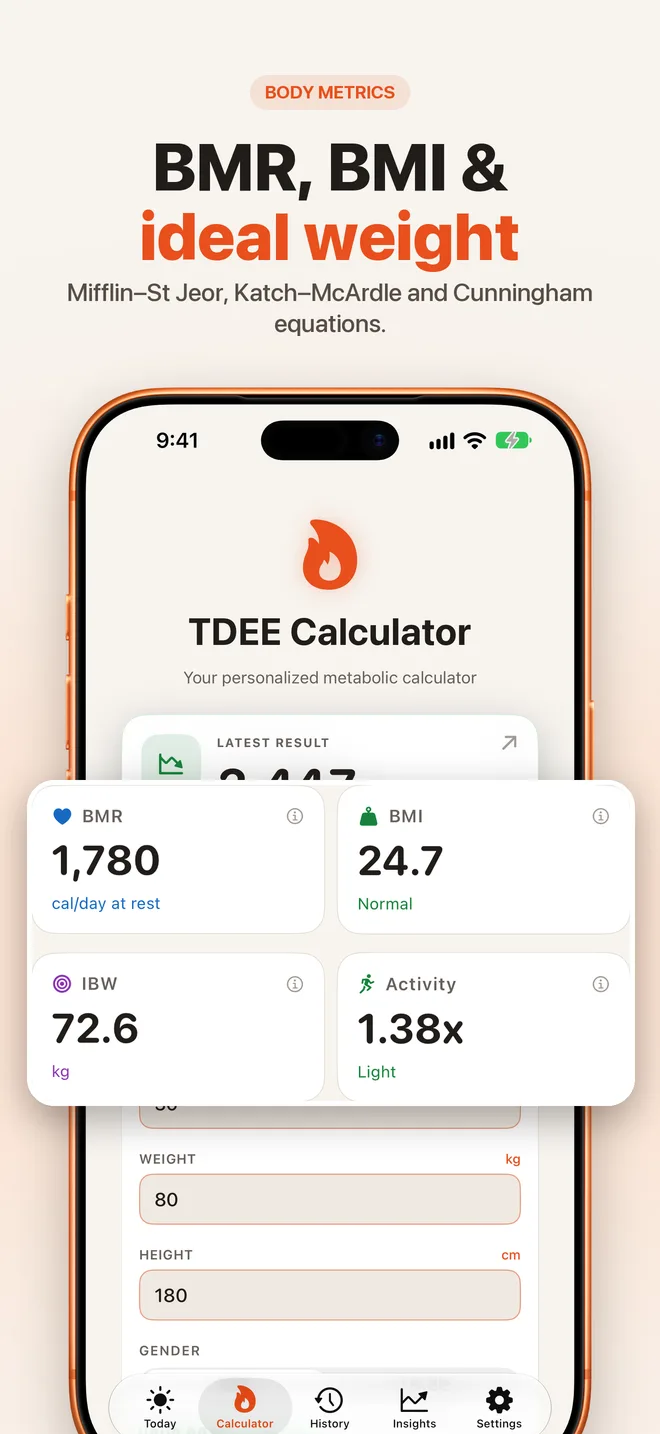
You enter your details and the app calculates BMR, TDEE and a daily calorie target. It uses the Mifflin–St Jeor equation by default (Mifflin et al., 1990), with Katch–McArdle and Cunningham available if you know your body-fat percentage. It then splits the target into daily protein, carbohydrate and fat grams.
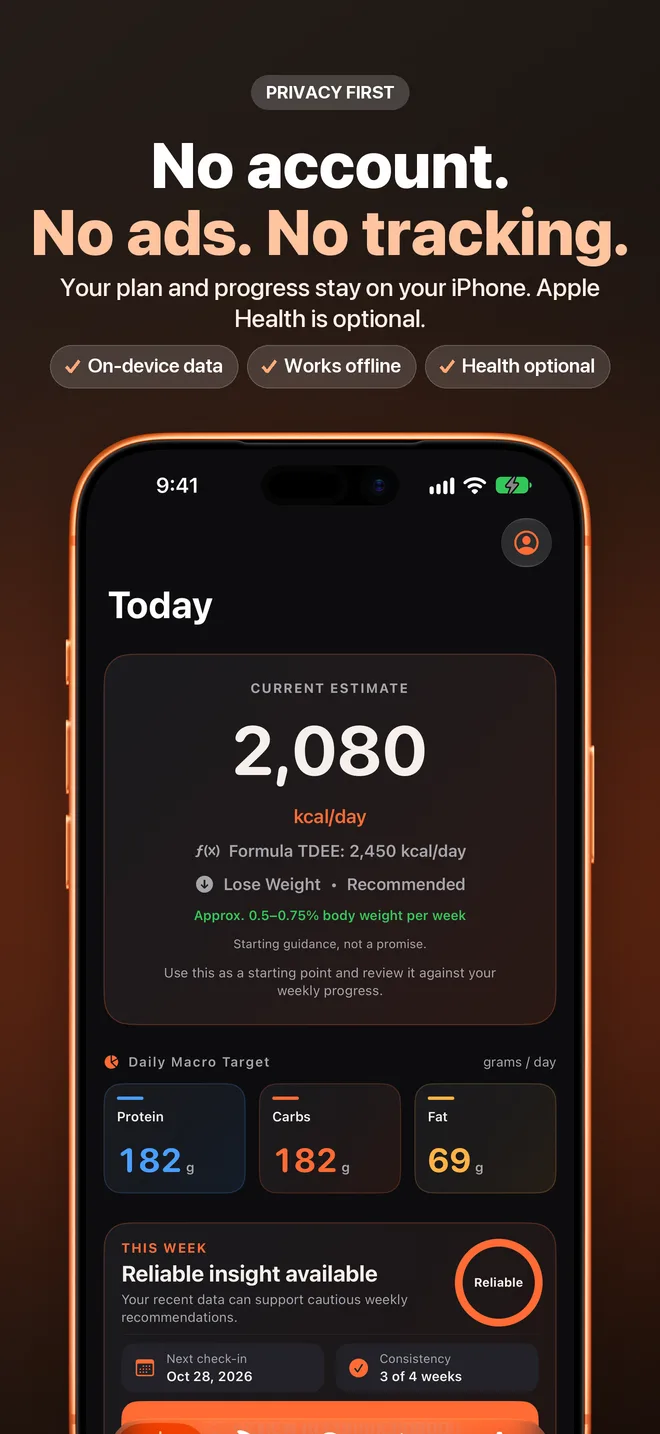
The Today screen shows your current target, daily macros, latest weight and next check-in in one view. The Calculator tab also reports BMR, BMI, ideal body weight and your activity multiplier.
How does the three-step personalization work?
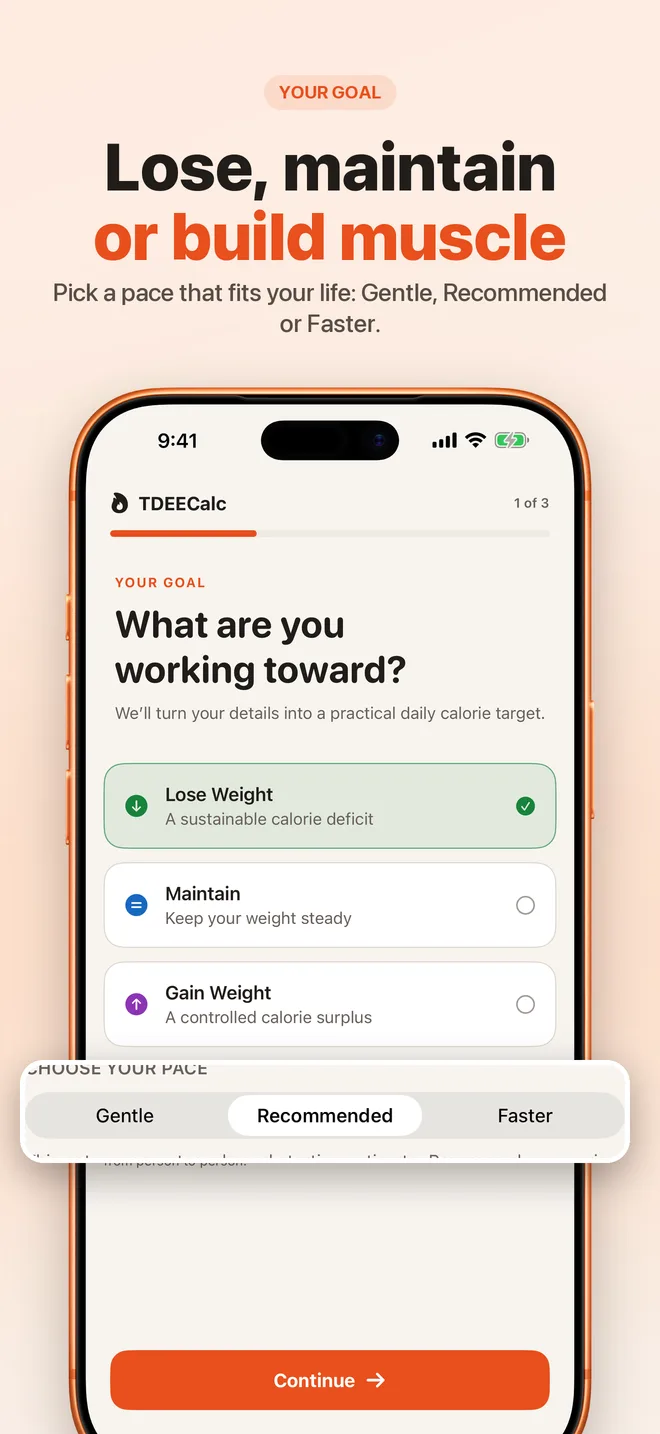
Setup takes three steps: your goal, your body data and your activity level. You choose to lose weight, maintain or gain weight, then pick a pace of Gentle, Recommended or Faster. The app shows an approximate weekly rate for each pace.
When you review the result, you choose Start My Plan to activate it. Later changes to your plan need your explicit confirmation, and the profile editor previews how a change would affect your target before you apply it.
What are weekly check-ins?
A check-in records your weight and, optionally, your average daily calories for the week. Check-ins are meant to be calm. The app recognizes flexible consistency and milestones without streaks that reset, and it avoids shame or pressure. You can turn on an optional weekly reminder, which opens straight into the check-in.
After each check-in the app shows your updated trend, how ready your adaptive estimate is and the suggested next step.
What is the smoothed weight trend?
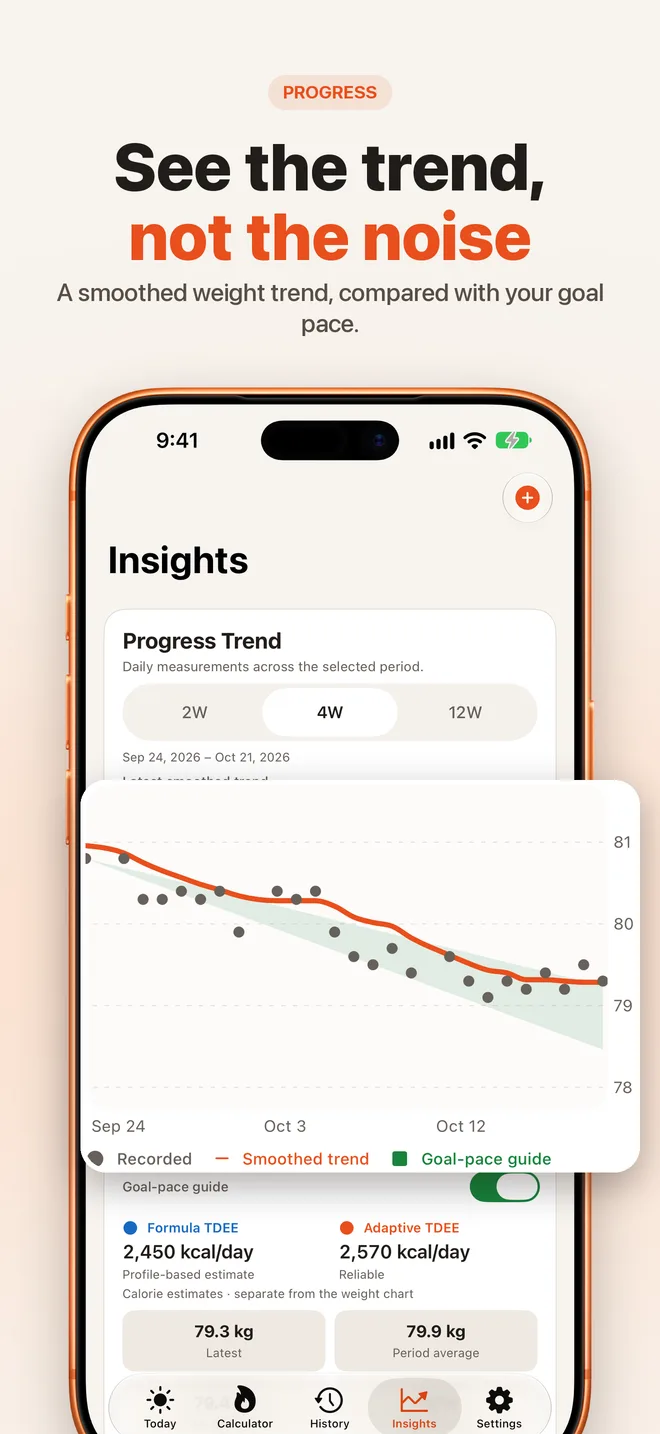
Daily weight bounces with water, salt and digestion. The Insights tab plots your recorded weights against a smoothed trend over 2, 4 or 12 weeks, so you can see direction rather than noise. A goal-pace guide shows where your weight would be if you were moving at your chosen rate, and you can show or hide it. Touching the chart reveals the values for a date.
What is adaptive TDEE in the app?
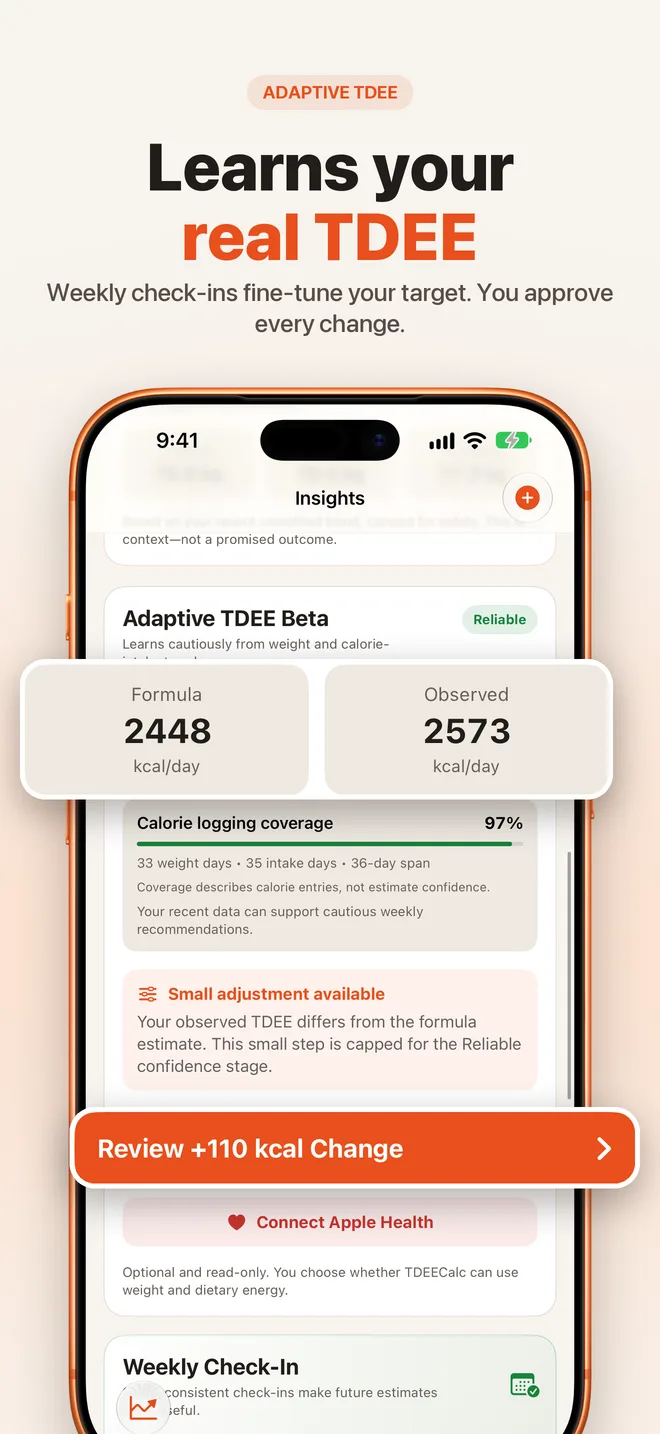
Formula TDEE is an estimate. Adaptive TDEE is observed: it uses your weight trend and calorie intake to work out what you actually burn, the idea explained in adaptive TDEE and grounded in energy-balance research (Hall et al., 2011).
The app shows the formula estimate beside the observed estimate, with a confidence stage that moves from Learning to Early Estimate, Improving and Reliable as data builds up. It can suggest a small calorie change, capped at 50 to 150 kcal depending on confidence, with a stated reason. Nothing changes until you approve it.
For how TDEECalc compares with similar tools, see the best adaptive TDEE apps comparison.
Does it connect to Apple Health?
Optionally. In Settings, under Apple Health & Adaptive TDEE, you can choose Connect Apple Health. The app requests read access to Body Mass and Dietary Energy only, never writes to Health, and does not ask at launch. Manual logging works without Health. You can disconnect at any time, and you control permissions in the Health app.
Does it have widgets, Siri and Shortcuts?
Yes. Home Screen widgets in small, medium and large sizes show your target, macros and progress. Siri and Shortcuts can read your TDEE, BMR, calorie target and daily macros, log your weight, and open screens such as the weekly check-in. Personal shortcut actions require Apple’s system authentication.
Which languages does it support?
The app is available in 17 language and regional options. Siri availability depends on your system language and configuration.
How private is it?
TDEECalc has no account, no ads and no third-party analytics, and it does not track you across apps. Your plan and progress stay on your iPhone, and the app works offline. Files with body metrics, targets and progress are excluded from system cloud backup. Read the full privacy policy.
Is it free, and what does it require?
All current features are free. There is no paywall, in-app purchase flow, account or demo login. TDEECalc needs an iPhone with iOS 16.2 or later. An Android version is in development.
TDEECalc gives educational estimates and cannot replace medical advice. Read the medical disclaimer, and see what’s new or get support.
Frequently asked questions
Is TDEECalc really free?
Yes. Every current feature is free, with no paywall, no in-app purchase flow and no ads. You do not need an account either. The app is supported by the developer rather than by selling anything to you or about you.
Do I need Apple Health to use it?
No. Apple Health is optional. Without it you can log weight and average calories by hand in weekly check-ins. If you connect it, TDEECalc asks for read-only access to Body Mass and Dietary Energy only, and it never writes to Health.
What is adaptive TDEE?
Adaptive TDEE is your real maintenance calories, worked out from how your weight changed against what you ate, rather than from a formula alone. TDEECalc compares it with the formula estimate and suggests small changes that you approve before they apply. See adaptive TDEE.
Where is my data stored?
On your iPhone. Your profile, plan, weight logs and check-ins are stored locally, excluded from system cloud backup, and not sent to the developer or to an analytics service. Read the full privacy policy.
Is there an Android version?
An Android version is in development. For now, TDEECalc is available for iPhone, and the calculators on this website work in any browser with no account.
Which iPhones does it support?
TDEECalc needs iOS 16.2 or later. It is available in 17 language and regional options. Calculations are educational estimates, not medical advice. See the medical disclaimer.
References
- Mifflin MD, St Jeor ST, Hill LA, Scott BJ, Daugherty SA, Koh YO (1990). A new predictive equation for resting energy expenditure in healthy individuals. American Journal of Clinical Nutrition 51(2):241–247.
- Hall KD, Sacks G, Chandramohan D, et al. (2011). Quantification of the effect of energy imbalance on bodyweight. The Lancet 378(9793):826–837.